A shared sales CRM for teams moving beyond spreadsheets.
Keep every sales opportunity moving.
Organize contacts, track deals and plan your next follow-up in one shared sales workspace.
US$3 per active user/month. US$15 monthly minimum per workspace. Taxes extra.

An enquiry arrives. A proposal goes out. Who follows up next?
Turn a promising conversation into a clear next step.
A CRM keeps the people, opportunities and follow-ups behind a sale together. Here is one way a services team could use SalesLuma.
Keep the relationship together.
Jordan at Cedar Services asks about a project. Save the person and their company so you know who you are talking to.
Track the opportunity.
Create a deal for the potential project, with its value and sales stage. A deal is an opportunity to sell something to a customer.
Plan the next action.
Assign responsibility and add a dated activity: “Follow up on the proposal on Tuesday.”
Follow through.
Open Today to see what is due. Complete the follow-up and move the deal forward as the conversation progresses.
Illustrative example. The product screenshots use generated sample data.
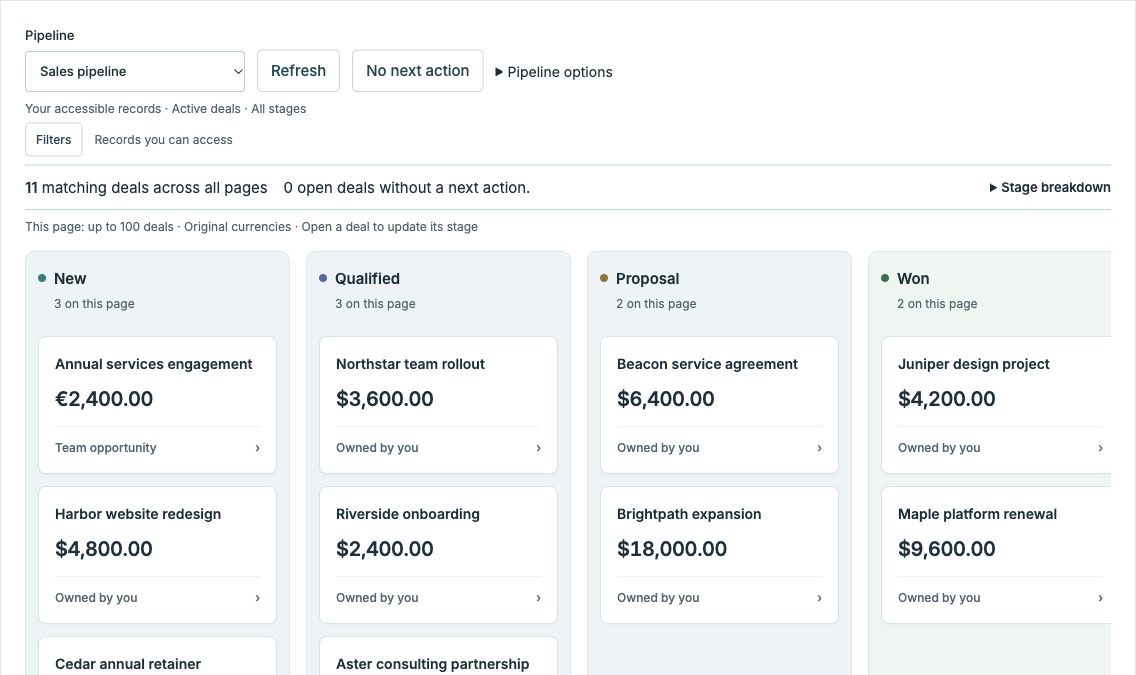
See where each deal stands.
Review deals by stage and find open deals that have no next action. Keep the next conversation in view alongside the bigger picture.
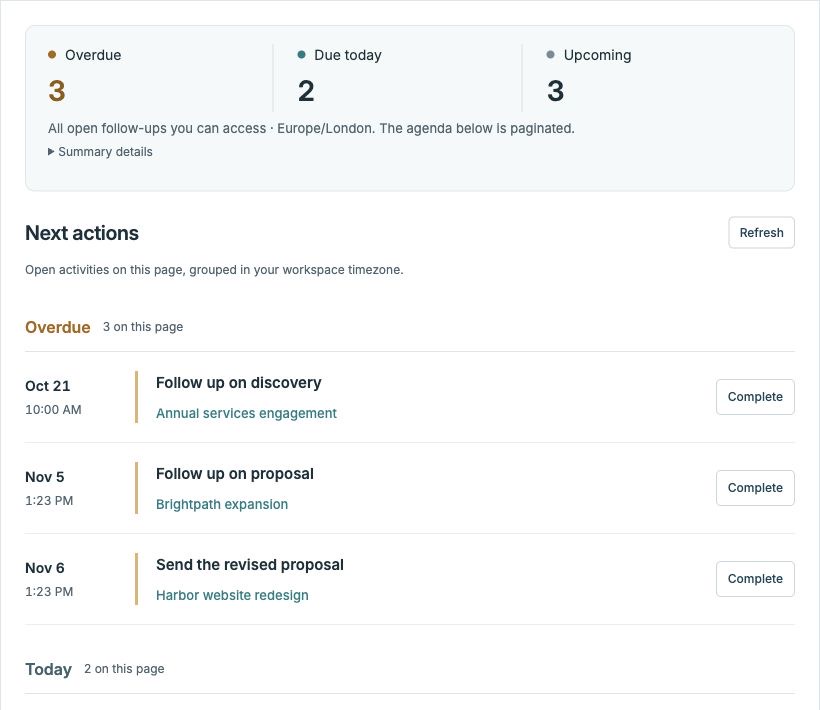
Know what to follow up on today.
Keep overdue, today’s and upcoming activities in view. Open the related deal or mark an activity complete.

Keep customer details with the relationship.
Find a contact’s company, notes and related deals in one place. Use custom fields for the details your business needs.
Give the team a shared view.
Keep contacts, opportunities and follow-ups in one workspace, with ownership and access permissions for your team.
Handle forwarded sales conversations.
Use a sales inbox receiving address to bring email into the workspace. People with reply permission can respond in SalesLuma.
Forwarding is configured in your existing email service.
For teams ready to put their sales work in one place.
If contacts live in a spreadsheet and the next follow-up lives in someone’s head, start with one real opportunity. Add more records and teammates as you build your routine.
A straightforward price for your team.
US$3per active joined user,
per month
US$15 monthly minimum per workspace. Taxes extra.
Pending invitations and inactive users do not count.
See pricing details| Active joined users | Monthly subtotal |
|---|---|
| 5 users | US$15 |
| 10 users | US$30 |
| 20 users | US$60 |
Try SalesLuma for 14 days without a card.
A paid subscription is a separate purchase after your trial.
Start free trialBefore you get started.
What is a CRM?
A customer relationship management tool keeps customer details, sales opportunities and next actions together. In SalesLuma, a contact is a person, a company is their business, and a deal is a potential sale you want to follow through.
Can I bring my spreadsheet?
Import supported companies, contacts and deals from CSV or XLSX using the supplied templates. Stable source IDs are required. Historical dates, notes, activities and email are not imported.
Can my team handle email here?
Sales inbox provides a receiving address. Send email to it, or configure forwarding with your existing email provider. Users with reply permission can reply in SalesLuma.
What happens after the trial?
A paid subscription is a separate purchase. Without paid access, the workspace becomes read-only. Supported reads, CRM business-record export, account security and Billing remain available.
How do I get help?
Email support@salesluma.com with your workspace name and a short description of the issue.
Start with the next conversation you want to move forward.
Start free trial